Getting started with Git LFS
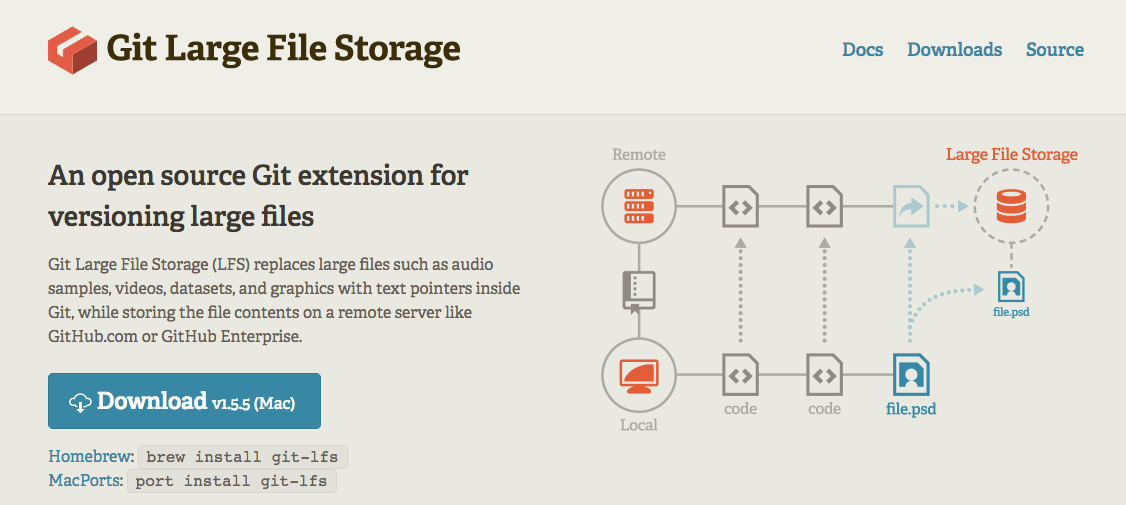
This post introduces Git Large File Storage (LFS) as a solution for managing large binary files in Git repositories. It explains the problem of bloated repositories caused by committing large files directly and how LFS solves this by storing lightweight pointers in the local repository and downloading the actual files on demand. The post covers installation of LFS on both server (GitLab.com and recent GitLab CE/EE versions) and local machines, how to track files and file patterns using `git lfs track`, and how to view tracked files with `git lfs ls-files`. It emphasizes tracking files as early as possible before they are committed to the repository. The post also highlights the seamless integration of LFS with existing Git workflows and mentions the Tower Git client as a GUI option for managing LFS.