Code Map improvements in Visual Studio 2013 Ultimate Update 3 CTP1
May 27, 2014Jean-Marc Prieur
Summary
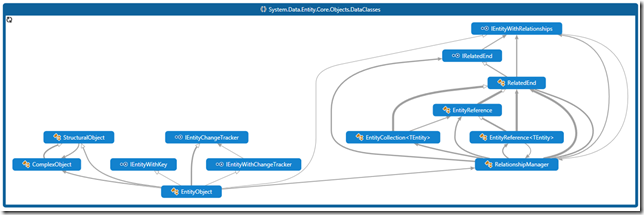
This post details improvements to Visual Studio's Code Map and Debugger Map in Update 3 CTP1. Key enhancements include respecting user-set zoom levels in the debugger map, ensuring the call stack entry of interest remains visible, and minimizing panning. Link styling on code maps has been improved with color-coding to represent different dependency types (inheritance, interface implementation, method calls, field references), and the legend has been updated to reflect these link styles. Additionally, the ability to drag and drop binaries from File Explorer into a code map has been added to analyze dependencies and package assemblies.
More from the Visual Studio Architecture Modeling Tooling trail
- The Visual Studio Modeling SDK is now available with Visual Studio 2017
- “Reference could not be resolved” error when validating your architecture using Visual Studio architecture modeling tools
- Introducing the Child Process Debugging Power Tool
- Multiple Monitor Support for Windows Store Apps in Visual Studio 2013 Update 3
- Announcing: Updated Visual Studio 2013 RTM ALM Virtual Machine + Hands-on-Labs & Demo Scripts