Code Map improvements in Visual Studio 2015 CTP6
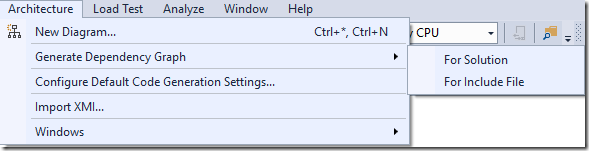
This post details specific improvements to Visual Studio's Code Maps in CTP6, building upon previous releases. Key contributions include a cleaner 'Architecture' menu with unified terminology, renaming 'New Diagram' to 'New UML or Layer Diagram', making code generation settings accessible from UML Explorer, and adding tool windows to the 'Windows' submenu. Performance improvements allow for faster generation and responsiveness, with the ability to cancel background processing. The progressive visibility of solution structure, grouping projects by solution folders, and the ability to generate maps without building are highlighted. Additional dependency link styles are explained, including the meaning of colored and gray dotted links. Assembly styling based on project type (libraries, VSIX, Web, Phone, Portable Library) is introduced, and implicit .NET type dependencies are now hidden by default. New filtering mechanisms for code elements and dependency links are presented, allowing users to focus on specific namespaces, assemblies, or classes.
More from the Code Dependency Visualization and Layer Validation trail
- Live Dependency Validation in Visual Studio 2017
- Live architecture dependency validation in Visual Studio “15” Preview 5
- CodeLens Indicator for Code Health
- Code Map: From Visual Studio 2013 Ultimate to Visual Studio 2015 Enterprise
- Code Maps improvements in Visual Studio Enterprise 2015 RTM: Code maps now have simpler menus, more intuitive icons, and independent group layout