Code maps now differentiate test projects, and bring code context into map elements
Apr 29, 2015Mathew Aniyan MSFT
Summary
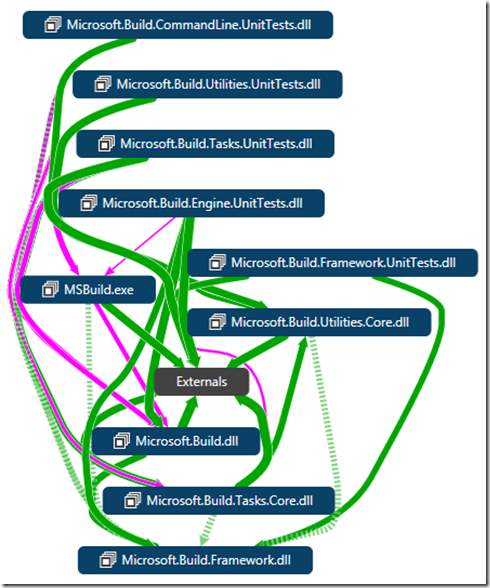
This post details two key improvements to Visual Studio's Code Maps feature in the VS 2015 RC: 1. Test project differentiation: Test assets (MSTest, or other frameworks with adapters) are now styled differently in code maps, and a 'Test Assets' filter is available in the 'Filters' pane to show/hide them. 2. Code context improvements: Code maps now automatically include the namespace and assembly containers for selected code elements, eliminating the need for manual 'Show All Containers' steps to understand the broader impact of a change. This provides a more immediate and comprehensive view of code relationships.
More from the Code Dependency Visualization and Layer Validation trail
- Live Dependency Validation in Visual Studio 2017
- Live architecture dependency validation in Visual Studio “15” Preview 5
- CodeLens Indicator for Code Health
- Code Map: From Visual Studio 2013 Ultimate to Visual Studio 2015 Enterprise
- Code Maps improvements in Visual Studio Enterprise 2015 RTM: Code maps now have simpler menus, more intuitive icons, and independent group layout