Creating NGEN PDBs for Profiling Reports
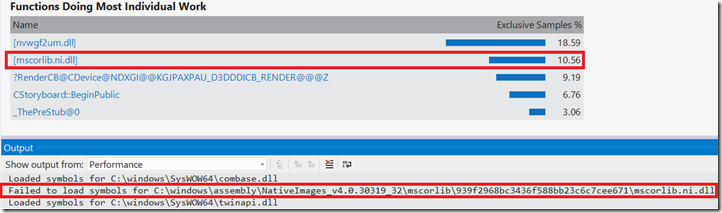
This post details a four-step process for generating NGEN PDBs to resolve issues with profiling managed applications on Windows 8 where NGEN'd modules appear as '[NI module name]' in reports due to missing PDB files. It explains the background of the issue related to the profiler's technology on Windows 8, and provides detailed instructions for: 1. Locating the NI module's path in the profiler report. 2. Creating the PDB using ngen.exe, with options for including line-level information. 3. Adding the generated PDBs to the Visual Studio symbol path. 4. Reopening the profiler report to see function names instead of '[NI module name]'. It also notes that PDBs need to be regenerated if modules are updated and mentions an update in Visual Studio 2013 for automatic NGEN PDB generation.