Getting Started with Exploratory Testing
Mar 12, 2012Nitin Gurram
Summary
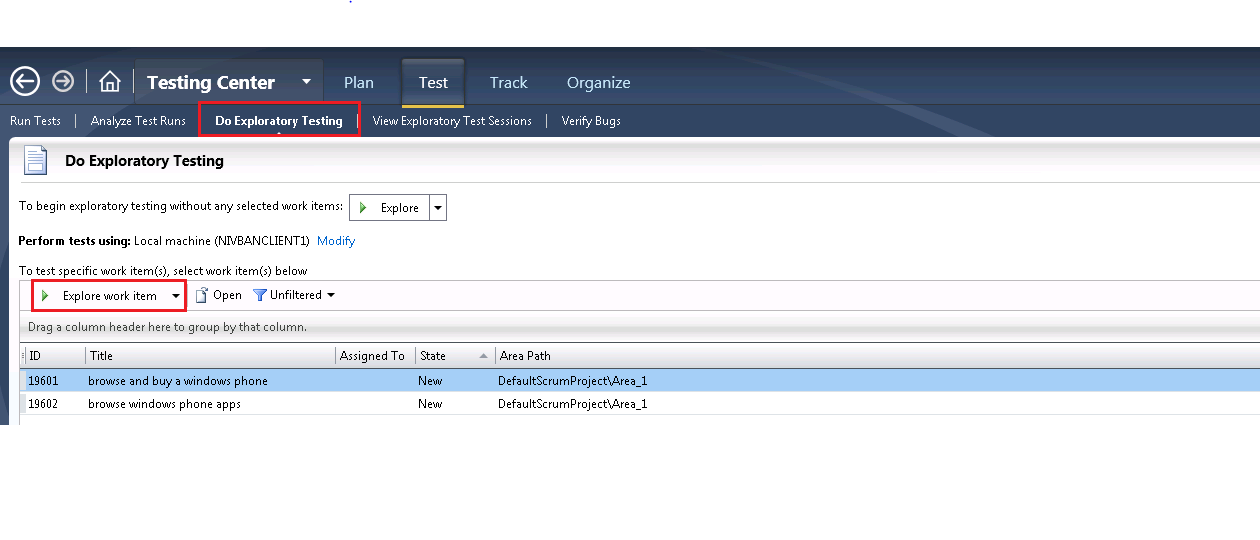
This post details the use of Microsoft Test Manager for exploratory testing, enabling simultaneous test execution and design. It highlights features for capturing screenshots, adding comments, attaching log files, creating bugs with pre-populated repro steps, and generating test cases from exploratory sessions. The post emphasizes the automatic linking of created work items to parent backlog items and the creation of regression test suites.
More from the Visual Testing in CI/CD Pipelines trail
- Things to consider when running visual tests in CI/CD pipelines: Container Pipeline Edition (Part 3)
- Things to consider when running visual tests in CI/CD pipelines: Azure Devops & GitHub Actions (Part 2)
- Things to consider when running visual tests in CI/CD pipelines: Getting Started (Part 1)
- Announcing easy to use browser-based exploratory testing for Visual Studio Team Services
- Using Internet Explorer 11 and not able to record a web performance test successfully?