Getting Started with Load Testing in Visual Studio 2012
Jun 4, 2012Charles Sterling
Summary
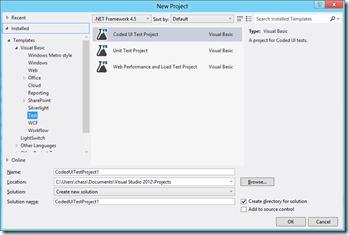
This post details how to get started with load testing in Visual Studio 2012. It explains the process of creating a new 'Web Performance and Load Test Project', adding load tests, and addresses confusion around running these tests with the new Test Explorer. It also provides a solution for the 'Could not connect to load test results database' error by detailing how to execute the `loadtestresultsrepository.sql` script to set up the SQL Server database for storing load test results.
More from the Azure Load Testing trail
- Integrate Azure Load Testing into Azure DevOps
- Cloud-based load testing service end of life
- Cloud-load testing service is hyper-scale ready: lessons from generating 1M concurrent user load
- Run cloud-based load tests using your own machines (a.k.a. Bring your own subscription)
- Testing private/intranet applications using Cloud-based load testing