Getting Started with PreEmptive Analytics for Team Foundation Server
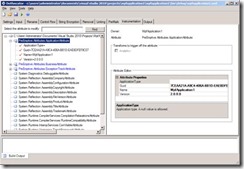
This post provides a step-by-step tutorial for getting started with PreEmptive Analytics for Team Foundation Server (PA for TFS). It details the installation of PA for TFS, including setting up the Exception Endpoint and Exception Aggregator, and configuring the connection to the TFS server and provisioning Team Projects with extensions. The post elaborates on instrumenting applications by adding specific attributes (ApplicationAttribute, BusinessAttribute, SetupAttribute, TeardownAttribute, ExceptionTrackAttribute) and explains how to use Dotfuscator to build a new version of the executable. It also covers configuring the Aggregator by adding subscriptions, specifying Company ID and Application ID GUIDs, and setting thresholds. Finally, it outlines the deployment of the instrumented application and how to create queries for incident-type work items in TFS.
More from the Team Foundation Server Backup and Restore Planning trail
- Monitoring Team Foundation Server 2018
- How to perform Lab management operations in Build and Release.
- Test Controller, Test Agent versions and their usage in different scenarios
- Breaking change in TFS 2015 Update 1 for server-side plugins
- New Environment Verification fails Saying invalid 'Domain User Name' using Microsoft Test Manager