Team Foundation Server 2012 and Project Server 2010 Integration
Aug 9, 2012Charles Sterling
Summary
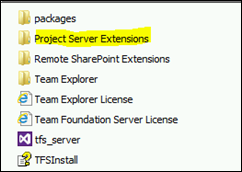
This post details the upgrade process from Team Foundation Server (TFS) 2010 SP1 and its Project Server 2010 Feature Pack to TFS 2012 and the TFS Project Server Extension 2012. The procedure involved uninstalling the previous versions, installing SQL 2008 R2 SP2 as a prerequisite, and then installing TFS 2012 with the upgrade option. The integration of Project Server functionality is now handled by a 'Project Server Extensions' folder within the main TFS installer, simplifying the process compared to previous versions.
More from the Team Foundation Server and Project Server Integration trail
- The future of our TFS/SharePoint Integration
- Querying Lab Environments Using TFS Lab Management APIs
- TFS Lab Management with multiple SCVMM servers
- Creating Team Foundation Server 2012 Lab Management Standard Environments and getting error “Verify that the machines are accessible using the user name and password provided”
- VS ALM Library Updates on MSDN for June 2010