Testing in Continuous Integration and Continuous Deployment Workflows
May 29, 2015Gopinath C H[MSFT]
Summary
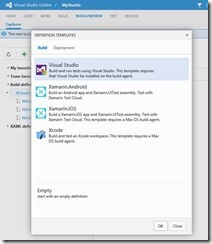
This post details the setup and configuration of automated testing within Continuous Integration (CI) and Continuous Deployment (CD) workflows using Visual Studio Online (VSO) and Team Foundation Server (TFS) 2015 RC. It outlines the steps for setting up build and unit test tasks, provisioning machines for application deployment and testing, configuring deployment and remote test execution tasks (including PowerShell scripts, file copying, and Visual Studio Test Agent deployment), and queuing builds with test result analysis. The post emphasizes the extensibility of the build framework, the ability to reuse assets across CI and release management, simplified machine provisioning, distributed test execution, and rich test reporting.
More from the Azure Pipelines Agent Operating System Support trail
- April Patches for Azure DevOps Server and Team Foundation Server
- CDN Domain URL change for Agents in Pipelines
- Announcing the General Availability of Managed DevOps Pools (MDP) for Azure DevOps
- Announcing Public Preview of Managed DevOps Pools (MDP) for Azure DevOps
- End of support for Azure Pipelines agents running on CentOS 6, Debian 4.9, Fedora 32, Ubuntu 16, macOS 10.14, and older versions