Upcoming Changes in Visual Studio Architecture and Design Tools
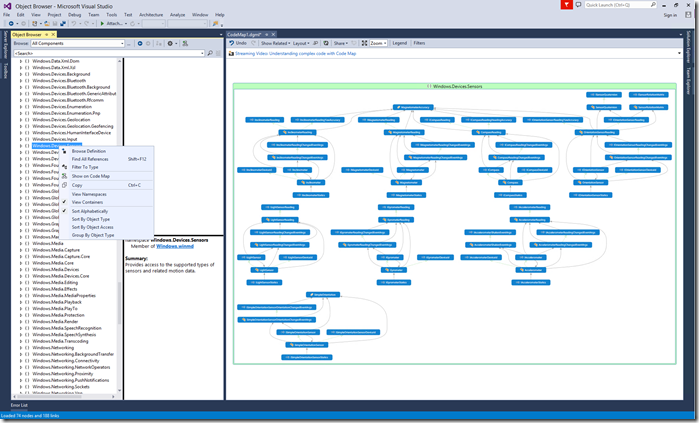
This post announces upcoming changes to Visual Studio's architecture and design tools, focusing on extracting architecture and design information directly from code and validating code against architectural rules. Key changes include improved performance and integration of Code Map with existing explorers (solution explorer, object browser, class view), new filtering experiences, more compact map representations, single-click map generation, ability to refresh maps, improved top-down maps, and better integration of architectural validation with code map and code analysis. Due to the Roslyn code model, the Architecture Explorer and the ability to create UML Class Diagrams from Code are being removed. The ability to visualize code on sequence diagrams is also being cut, with a note that debugger maps and IntelliTrace offer similar scenarios. Feedback is requested.
More from the Code Dependency Visualization and Layer Validation trail
- Live Dependency Validation in Visual Studio 2017
- Live architecture dependency validation in Visual Studio “15” Preview 5
- CodeLens Indicator for Code Health
- Code Map: From Visual Studio 2013 Ultimate to Visual Studio 2015 Enterprise
- Code Maps improvements in Visual Studio Enterprise 2015 RTM: Code maps now have simpler menus, more intuitive icons, and independent group layout