Visualize Code with Visual Studio 11 Beta
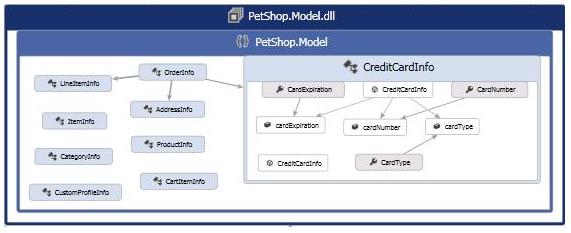
This post details the ability to visualize code and understand its relationships in Visual Studio 11 Beta, focusing on creating, reading, and editing dependency graphs. It covers getting the big picture, focusing on details through graph search and Solution Explorer integration, and communicating changes by editing graphs. It also introduces the concept of dependency graphs, nodes, links, and how to navigate and interact with them. Specific features highlighted include generating graphs for entire solutions or specific parts, saving graphs, browsing through zoom and pan, examining items and relationships, expanding/collapsing groups, and using keyboard shortcuts. It also explains how to find items on graphs using CTRL+F and F3, and how to find items in the solution using Solution Explorer and context menus like 'Is Called By'. The post also covers editing graphs by adding nodes, links, comments, groups, and by renaming or deleting elements.
More from the Code Dependency Visualization and Layer Validation trail
- Live Dependency Validation in Visual Studio 2017
- Live architecture dependency validation in Visual Studio “15” Preview 5
- CodeLens Indicator for Code Health
- Code Map: From Visual Studio 2013 Ultimate to Visual Studio 2015 Enterprise
- Code Maps improvements in Visual Studio Enterprise 2015 RTM: Code maps now have simpler menus, more intuitive icons, and independent group layout