Enable Remote Audio Capture to when Testing or Providing Feedback on Remote Machines
Aug 24, 2012Kathryn Elliott
Summary
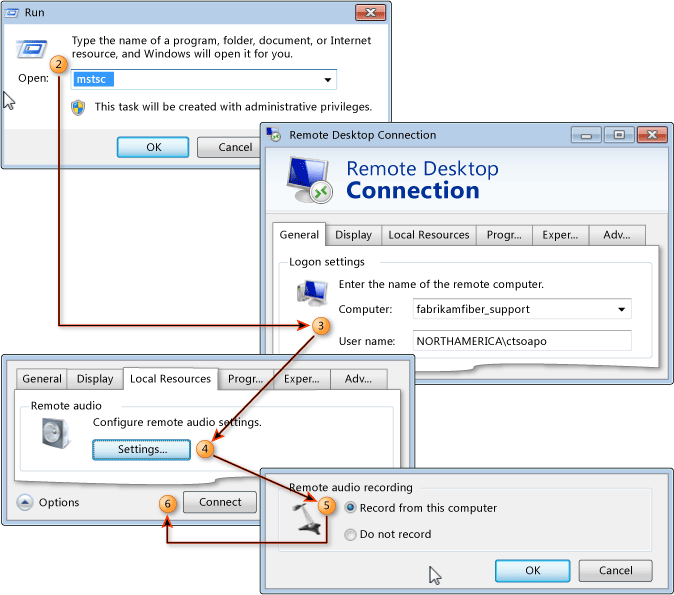
This post details how to enable remote audio capture for feedback and testing sessions on remote machines. It involves configuring audio redirection settings on the remote machine via a registry key modification and enabling 'Record from this computer' in the Remote Desktop Connection settings. It also provides instructions for setting a default microphone on the local computer and links to relevant documentation for Exploratory Testing, Manual Tests, and Feedback Manager.