Getting Started with Selenium Testing in a Continuous Integration Pipeline with Visual Studio
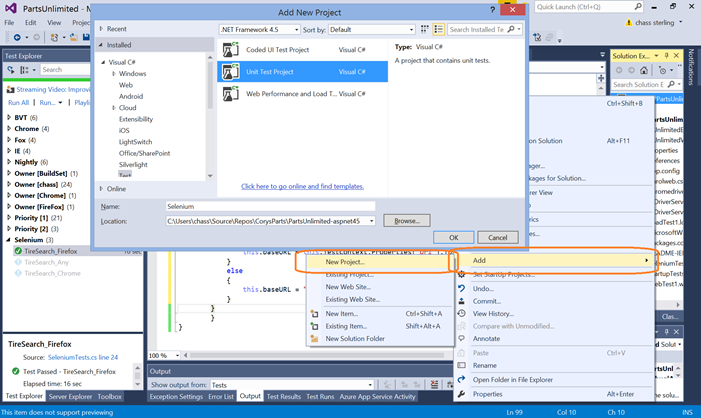
This post provides a detailed walkthrough of integrating Selenium UI tests into a Continuous Integration (CI) pipeline using Visual Studio Team Services (VSTS). It covers adding a new Unit Test project, installing necessary Selenium NuGet packages (webdriver, phantomJS, chromedriver, iedriver), authoring Selenium tests with C# code, and configuring build definitions to execute these tests. Specific challenges and solutions are addressed, including IE security setup, PhantomJS JSON errors, and the failure of interactive tests (like Firefox) on hosted build agents, recommending the use of PhantomJS or Selenium Grid for such scenarios. The post also details how to pass build parameters like URL and browser type to the tests and how to interpret test results within the build summary.
More from the Git CI Integration for Azure DevOps trail
- Generate a GitHub Actions workflow with Visual Studio or the dotnet CLI
- Run your CI with Jenkins and CD with Azure DevOps
- Get the most out of your PRs with Branch Policies
- Visual Studio Team Services and Team Foundation Server Java Capabilities Presentation and Demonstration Now Available at java.visualstudio.com
- Release Candidate of Visual Studio 2012 Update 3 now available