IntelliTrace, method call information, and Edit and Continue
Jul 29, 2015Angelos Petropoulos
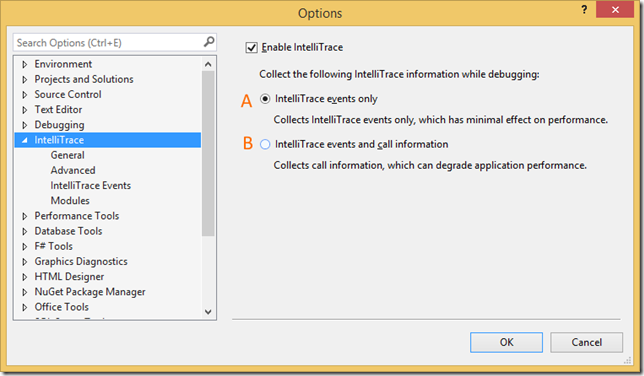
Summary
This post details the two IntelliTrace configurations in Visual Studio 2015: default event-only collection (Option A) which supports Edit and Continue (EnC), and method call information capture (Option B) which disables EnC. It explains how to access and utilize the collected data through the Diagnostic Tools window and the IntelliTrace toolbar, and highlights the trade-off between detailed method call tracing and EnC functionality.
More from the IntelliTrace Stand-Alone Collector Configuration trail
- Searching and filtering the Events tab of the Diagnostic Tools window
- Finding swallowed and async exceptions using IntelliTrace in VS2015
- Collect data from a windows service using the IntelliTrace Standalone Collector
- IntelliTrace in Visual Studio Enterprise 2015 now supports attach!
- Known Issue for Diagnostics Tool window in Visual Studio 2015 RC: “The diagnostic tools failed unexpectedly”