Test Analytics in Azure Pipelines is now at your fingertips
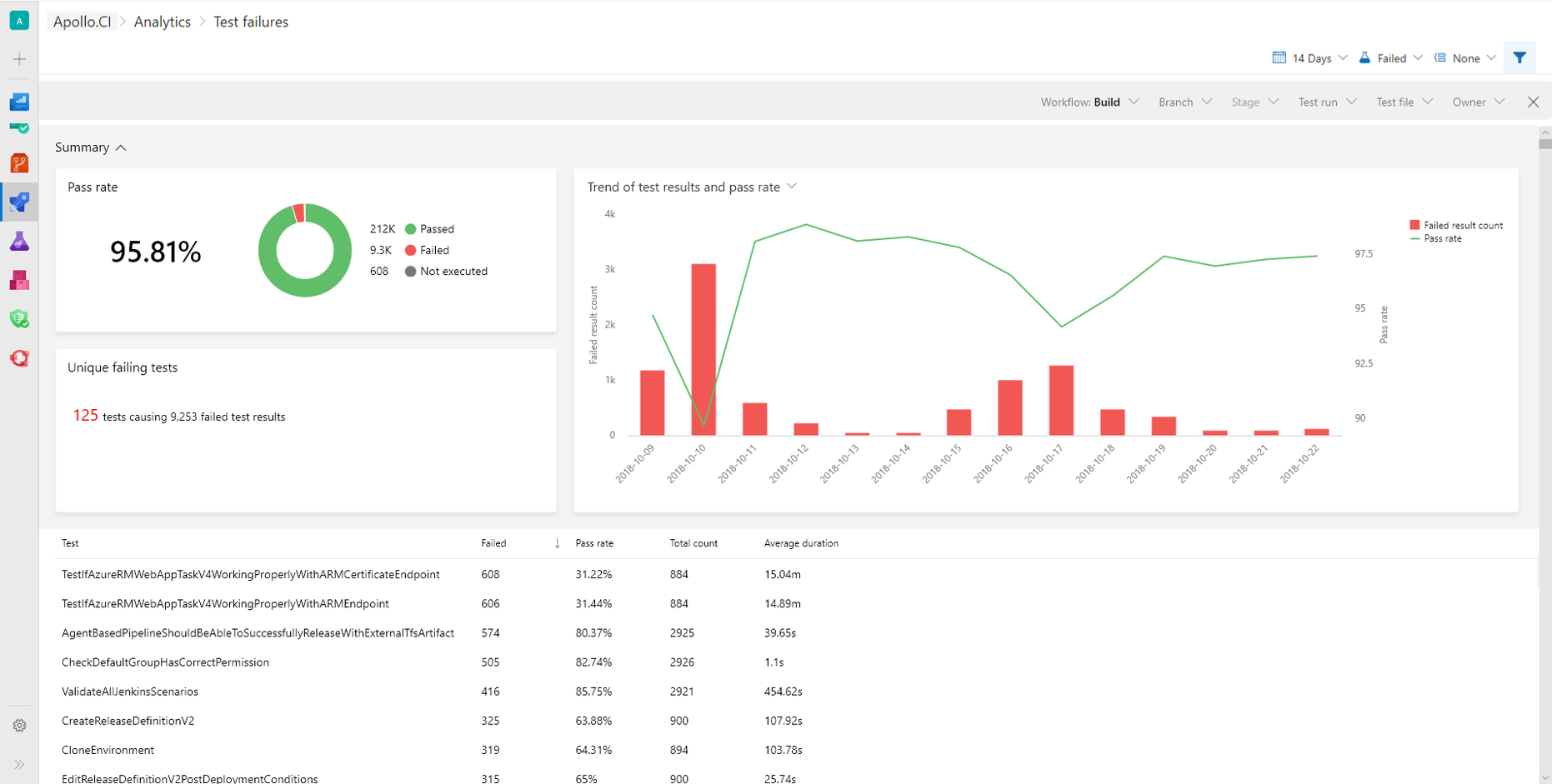
This post introduces the Test Analytics feature in Azure Pipelines, providing near real-time visibility into continuous testing for build and release pipelines. It offers a 'Test failure report' with insights into pass percentage, unique failing tests, failure trends, and the ability to group and filter data by pivots like test file, owner, and stage. A 'Specific test report' provides trend charts, execution instances, debug information, and filtering by branch or owner. The post highlights scenarios for measuring continuous testing health, identifying trends for fixing issues, uncovering patterns impacting team productivity, measuring test quality upstream ('shift left'), viewing test reports for specific areas, and making tests more efficient by analyzing average duration.