Code Coverage in Microsoft Test Manager – Deep Dive
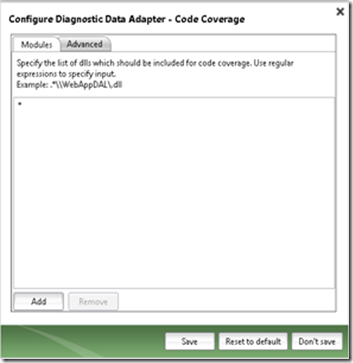
This post details the introduction of code coverage collection for manual testing of ASP.NET web applications running under IIS in Microsoft Test Manager (MTM) with Visual Studio 2012 Update 1. It explains the simplified configuration process, including the need for a StandardLab Environment and Test Agent installation, and how to specify assemblies for coverage. The post also addresses multi-user testing scenarios on shared IIS servers, explaining that only one code coverage session is active on the web server and how users receive coverage attachments at the end of their runs. A key new feature is the build-level coverage file, which consolidates coverage information from all published test runs against a build, improving decision-making for build quality. The post also notes changes to the warehouse functionality, where function-level coverage data is no longer written to the database, and provides C# code examples for downloading and parsing the build coverage file using the CoverageInfo class. Caveats regarding administrator privileges for other profilers, ignored settings for second users in multi-user scenarios, and avoiding TFS/Test Agent co-installation on the same machine are also highlighted.