Get Application Performance Counters of your choice during load runs with Visual Studio Online
Jul 8, 2014Manas Maheshwari
Summary
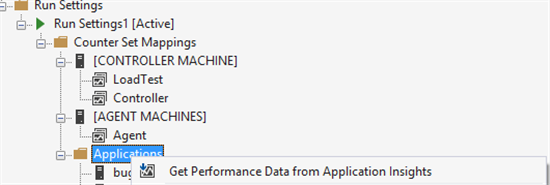
This post details the integration of Visual Studio Online Cloud Load Testing with Application Insights to monitor application performance counters during load runs. It provides step-by-step instructions for configuring Application Insights, selecting performance counters (including recommended and custom ones), and correlating this data with user load for root cause analysis. The post also highlights the need for Visual Studio Update 3 RC for full functionality and provides links to relevant documentation for setup and troubleshooting.
More from the Application Insights Deployment Markers trail
- Issue with using Application Insights with load tests
- Monitor Team Services web extensions with Visual Studio Application Insights
- Getting Application Insights counters with Cloud-based Load Testing
- Application Insights: Choose your own Performance Counters
- Introducing the Application Insights SDK for Java