IntelliTrace and WCF Services called by Silverlight
Oct 16, 2013Larry Guger
Summary
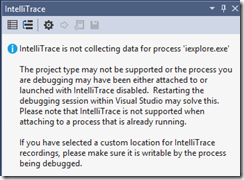
This post addresses a scenario where IntelliTrace is not supported for Silverlight applications due to security model limitations. It explains how to debug WCF services called by Silverlight applications in Visual Studio Ultimate by manually switching the debug process from the Internet Explorer (hosting the Silverlight app) to the IIS Express process (hosting the WCF service) using the Debug Location toolbar.
More from the IntelliTrace Stand-Alone Collector Configuration trail
- Searching and filtering the Events tab of the Diagnostic Tools window
- IntelliTrace, method call information, and Edit and Continue
- Finding swallowed and async exceptions using IntelliTrace in VS2015
- Collect data from a windows service using the IntelliTrace Standalone Collector
- IntelliTrace in Visual Studio Enterprise 2015 now supports attach!