Renaming, aliasing or coalescing applications in Application Insights
Nov 26, 2013Charles Sterling
Summary
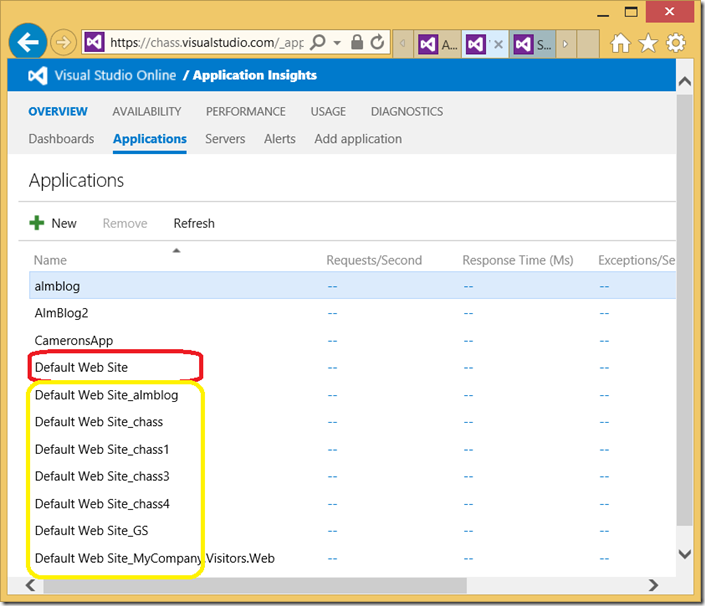
This post details the process of renaming, aliasing, or coalescing applications in Application Insights. It explains that direct renaming is not supported and requires stopping monitoring, removing the old application, and then starting monitoring with the new name. It provides PowerShell commands for these operations and illustrates scenarios for differentiating applications across servers and for combining data from multiple servers into a single view. The post also mentions that the team is aware of the need for better disambiguation in the Applications view.
More from the Application Insights Deployment Markers trail
- Issue with using Application Insights with load tests
- Monitor Team Services web extensions with Visual Studio Application Insights
- Getting Application Insights counters with Cloud-based Load Testing
- Application Insights: Choose your own Performance Counters
- Introducing the Application Insights SDK for Java