Search your logs instantly using property filters
Jan 20, 2015Guru Kirthigavasan
Summary
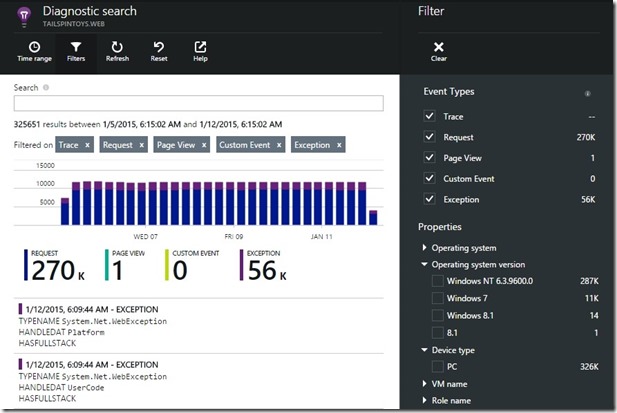
This post introduces property filters to Application Insights Diagnostic Search, allowing engineers to quickly refine search queries by standard and custom properties. It demonstrates how to use these filters to narrow down search results, focusing on failed requests and specific error types, enabling faster root cause analysis and debugging.
More from the Application Insights Deployment Markers trail
- Issue with using Application Insights with load tests
- Monitor Team Services web extensions with Visual Studio Application Insights
- Getting Application Insights counters with Cloud-based Load Testing
- Application Insights: Choose your own Performance Counters
- Introducing the Application Insights SDK for Java