Using a Visual Studio Web Test for availability monitoring in Application Insights
Nov 22, 2013Charles Sterling
Summary
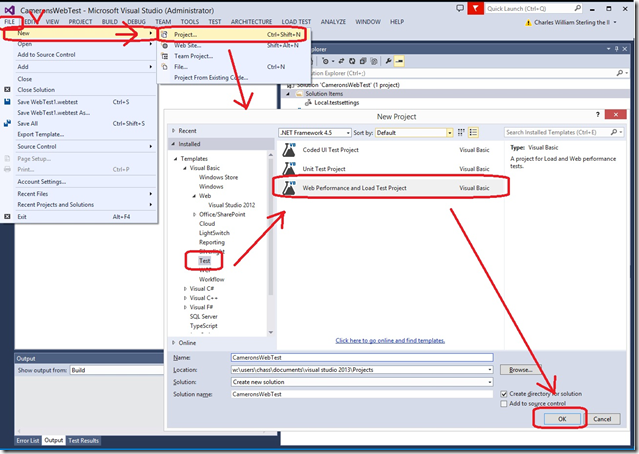
This post details the steps to create a multi-step web test in Visual Studio and configure it within Application Insights for availability monitoring. It covers creating a new Application Insights application specifically for availability monitoring and adding a 'Multi Step Web Test' that points to the recorded web test file.
More from the Application Insights Deployment Markers trail
- Issue with using Application Insights with load tests
- Monitor Team Services web extensions with Visual Studio Application Insights
- Getting Application Insights counters with Cloud-based Load Testing
- Application Insights: Choose your own Performance Counters
- Introducing the Application Insights SDK for Java